AI-powered Glossary Management System
Read time:
10 min
Client:
QRA Corp
Industry:
Systems Engineering
Start:
End:
Duration:
24 Weeks
Project Summary: QVscribe is a tool that analyzes the quality of requirements in documents, identifying issues like vague terms, inconsistent language, and improper structure. The Glossary feature allows users to manage context-specific terms, ensuring consistency and exempting acceptable terms from being flagged during analysis.
My Role: Led the design process, including user research, workflows, wireframes, prototypes, and usability testing. Collaborated with engineers and product managers to ensure seamless integration.
Team: Collaborated with the product manager, design team, front-end and back-end engineers, AI engineers and QA.
The Challenge &
My Approach
The Challenge
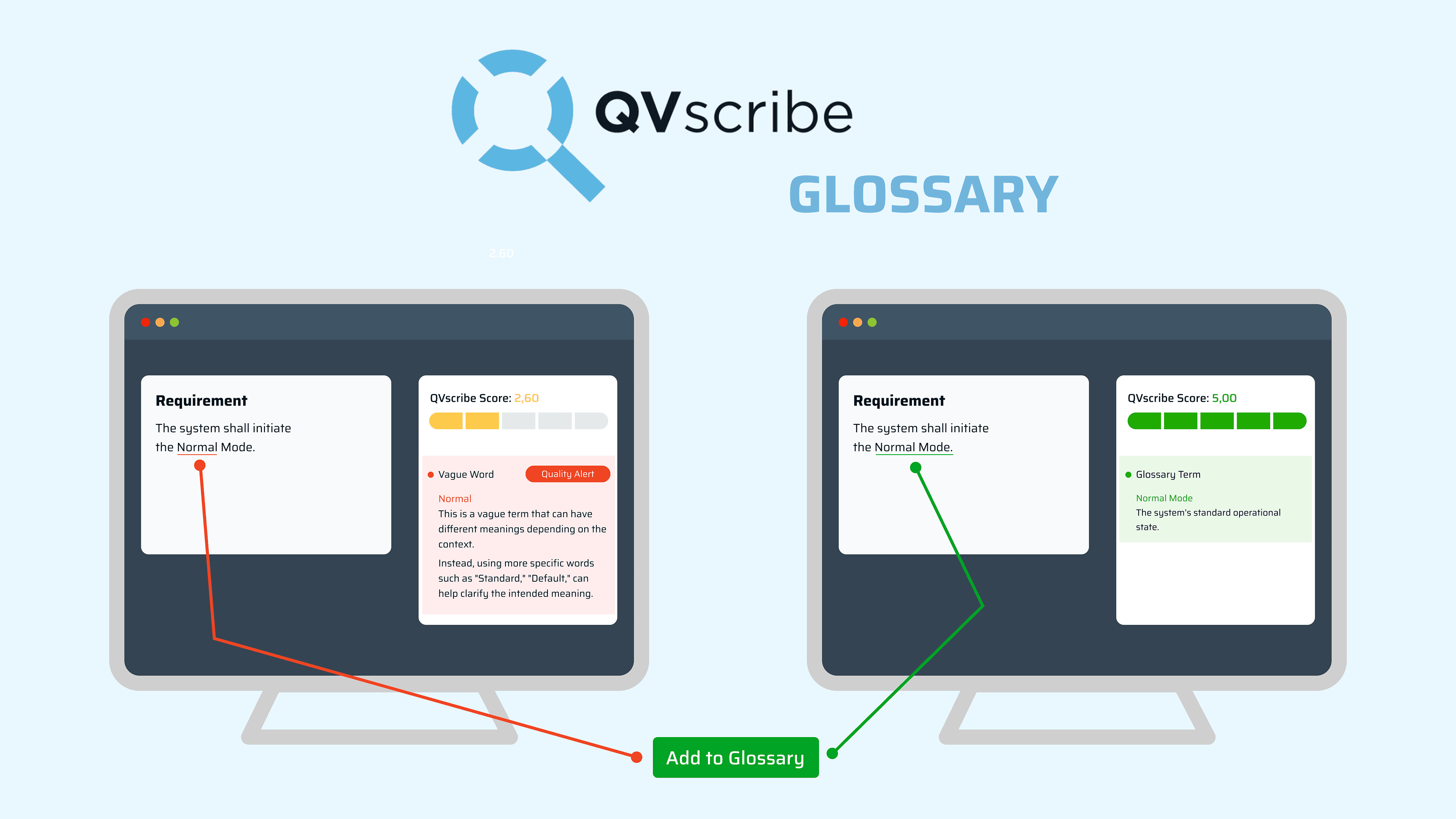
QVscribe flags forbidden words in system engineering requirements, but in some cases, these terms are acceptable in a company's specific terminology and carry a distinct meaning. Users had no way to exempt such terms from QVscribe's analysis or ensure their consistent usage within teams.
This limitation led to false positives, disrupted workflows, and increased the risk of misinterpretation, making it difficult for users to maintain clarity and quality in their requirements.
My Approach
My approach was to first understand why users struggled with terminology management, not just what feature they were asking for. I reviewed customer feedback, interviewed internal stakeholders, analyzed glossary usage patterns, and studied competitor workflows to identify where the current experience created friction.
From there, I translated the findings into product requirements, explored multiple workflow options, and tested the direction through usability sessions before refining the final UI.
Research & Key Insights
1- Customer Feedback
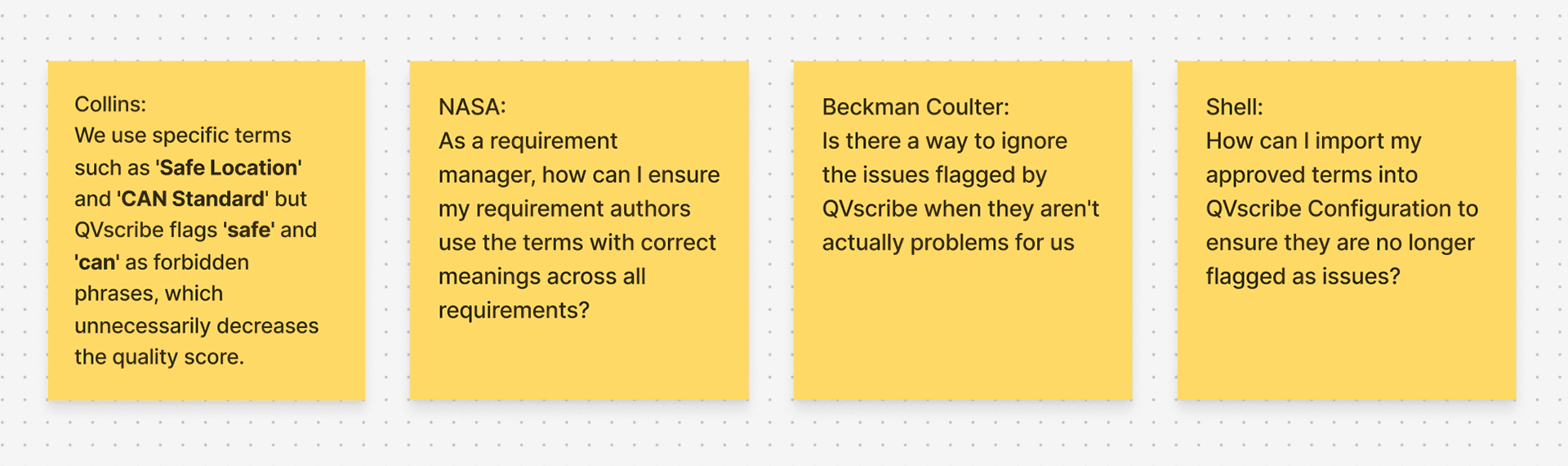
I collaborated with the Customer Support team to analyze feedback they had collected from QVscribe users. This feedback highlighted the recurring frustration with the lack of a solution to exempt acceptable terms and maintain consistent terminology. Here is some of the customer feedback;
2- User Interviews
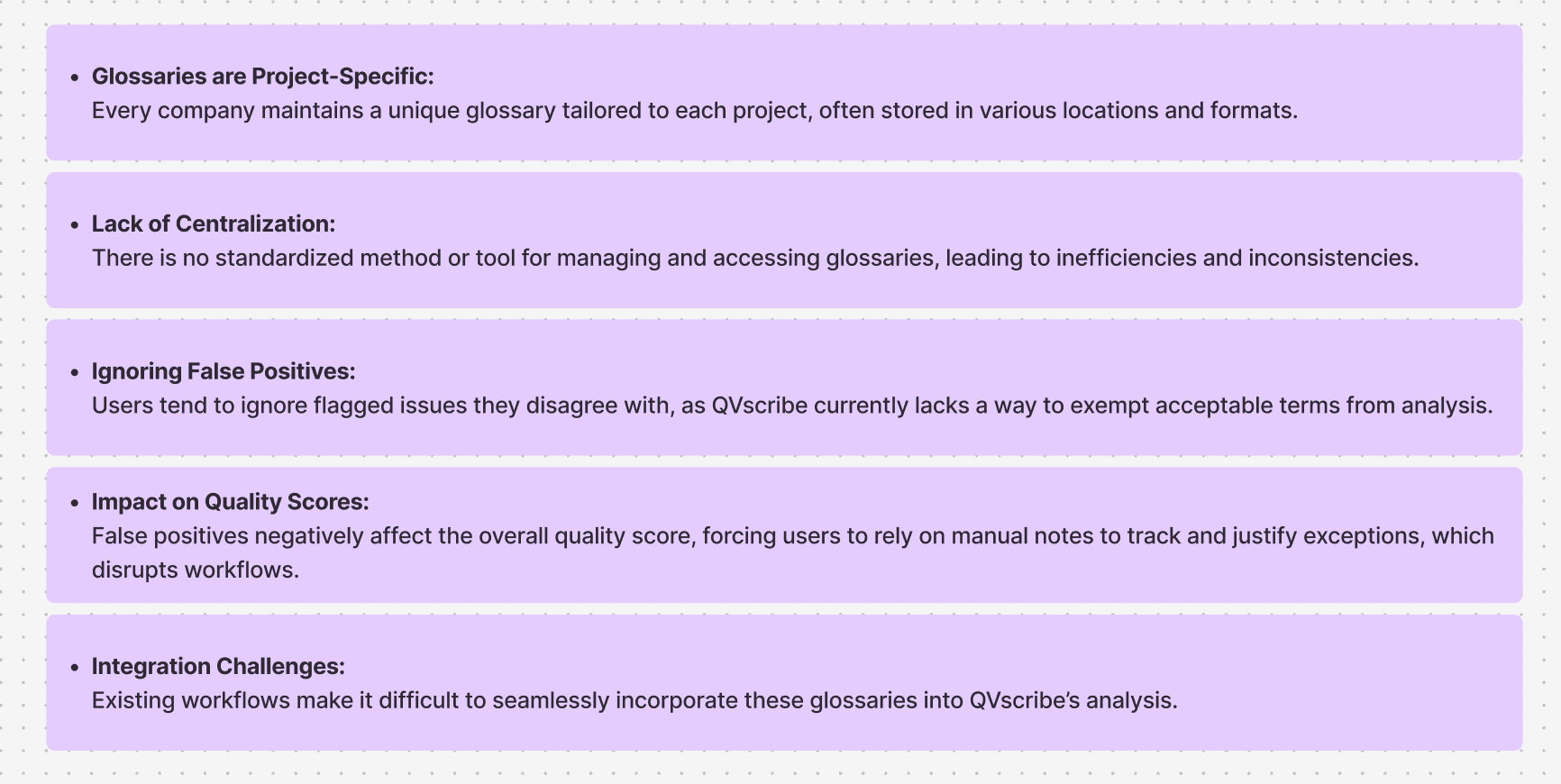
Through interviews with engineers across five companies, I uncovered the following key insights:
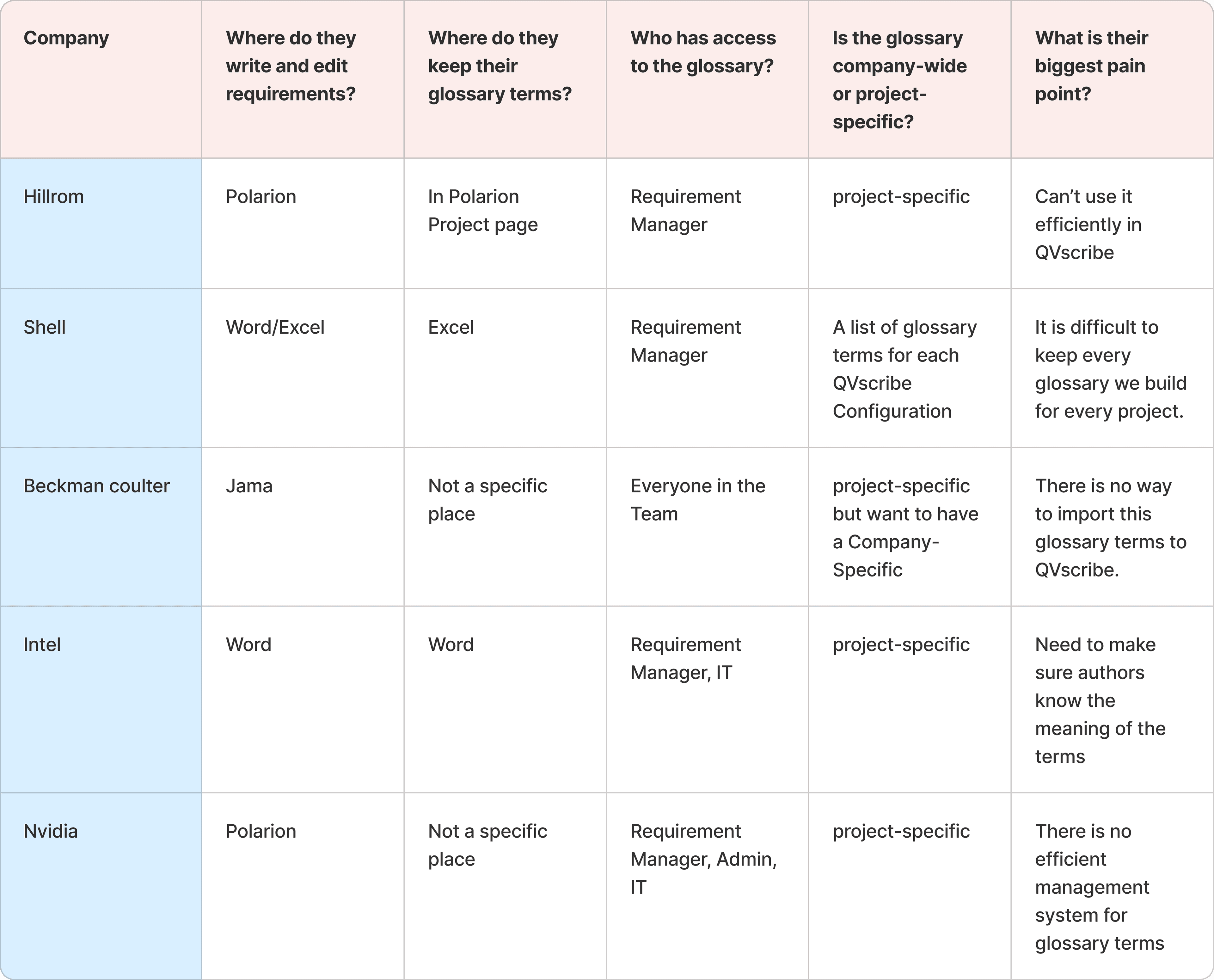
3- Glossary Usage Across Companies
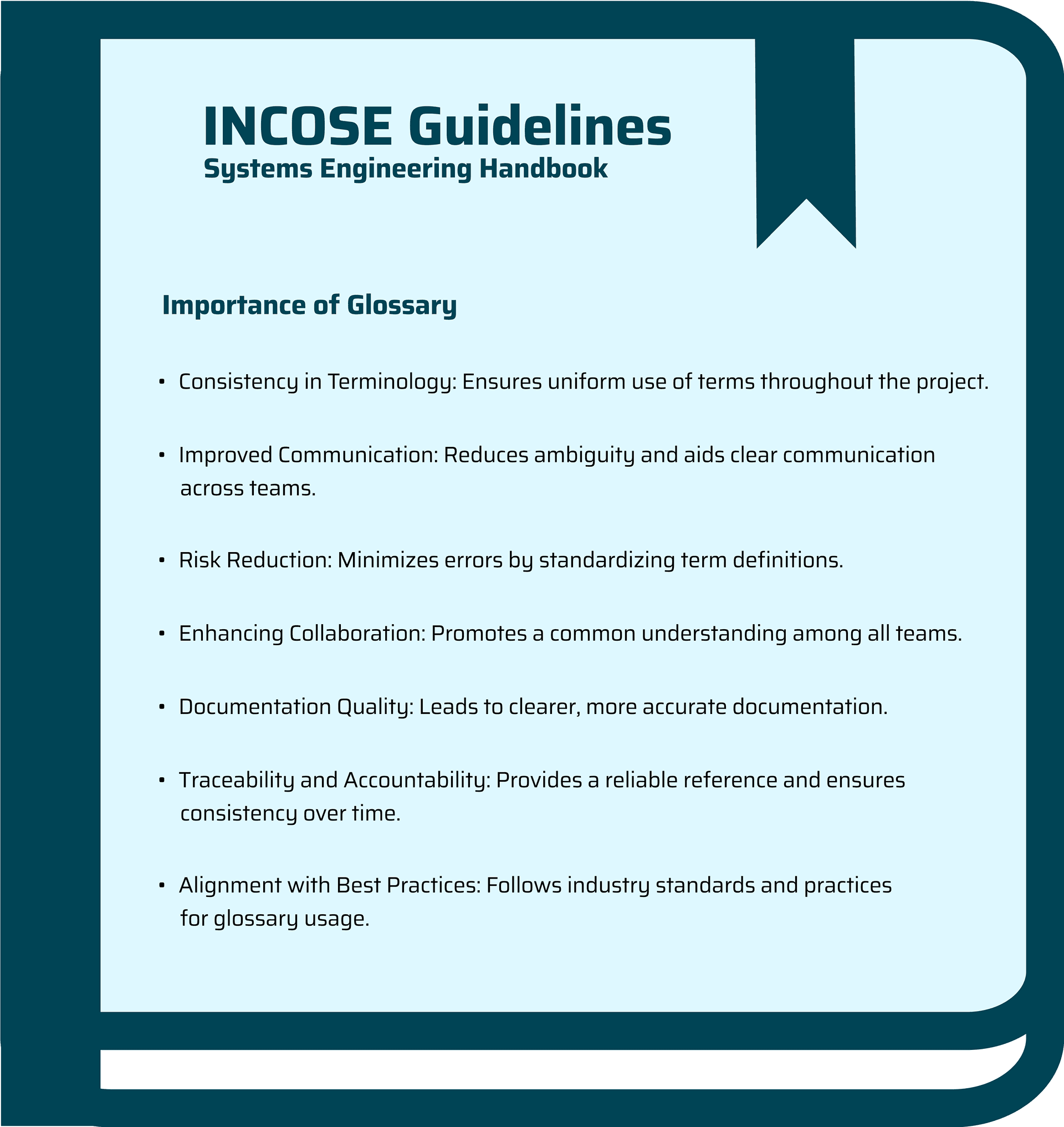
4- Importance of Glossaries in INCOSE
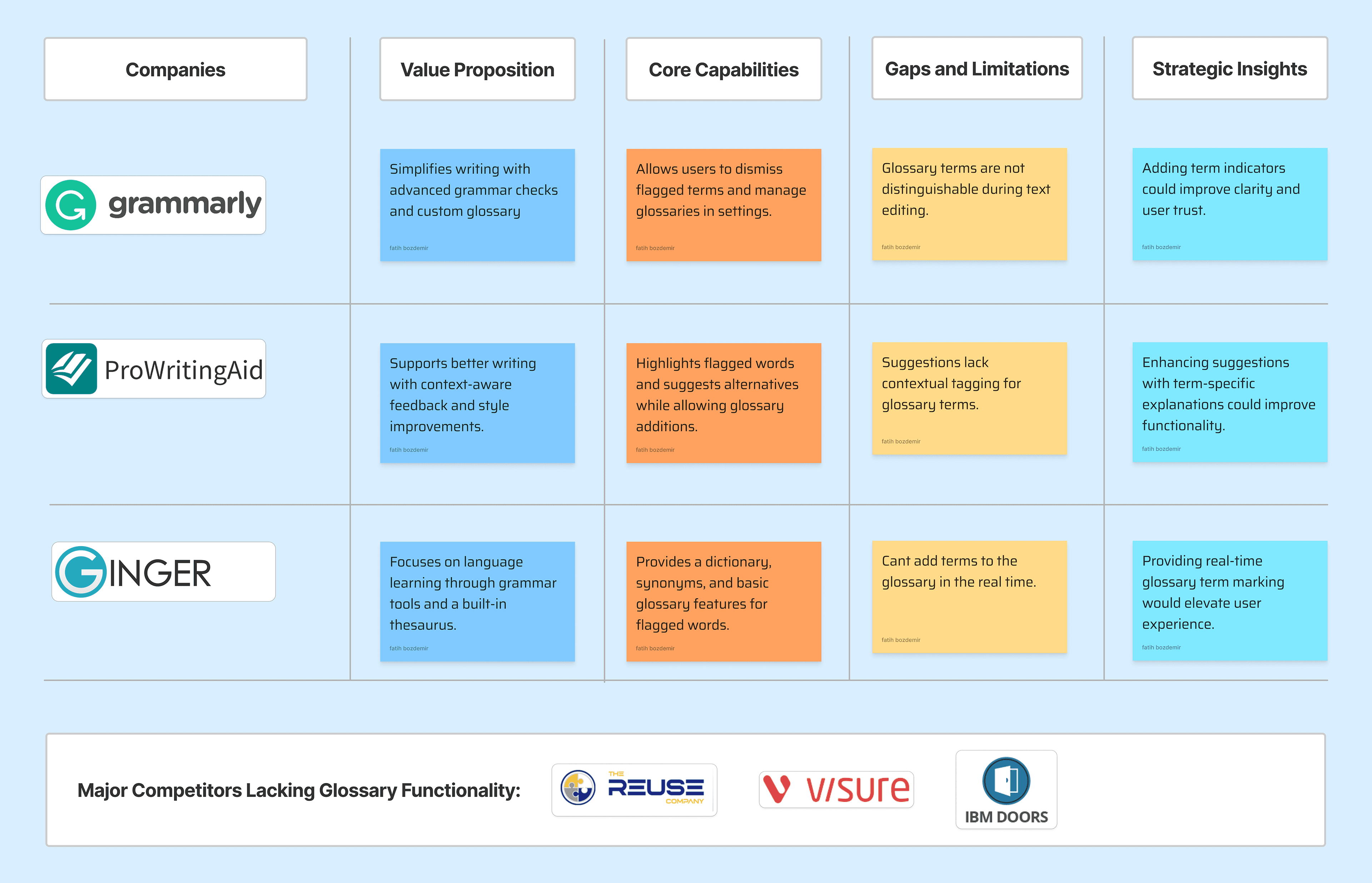
5- Competitor Analysis
The competitive analysis aimed to learn how others handle false positives and consistency in terminology management
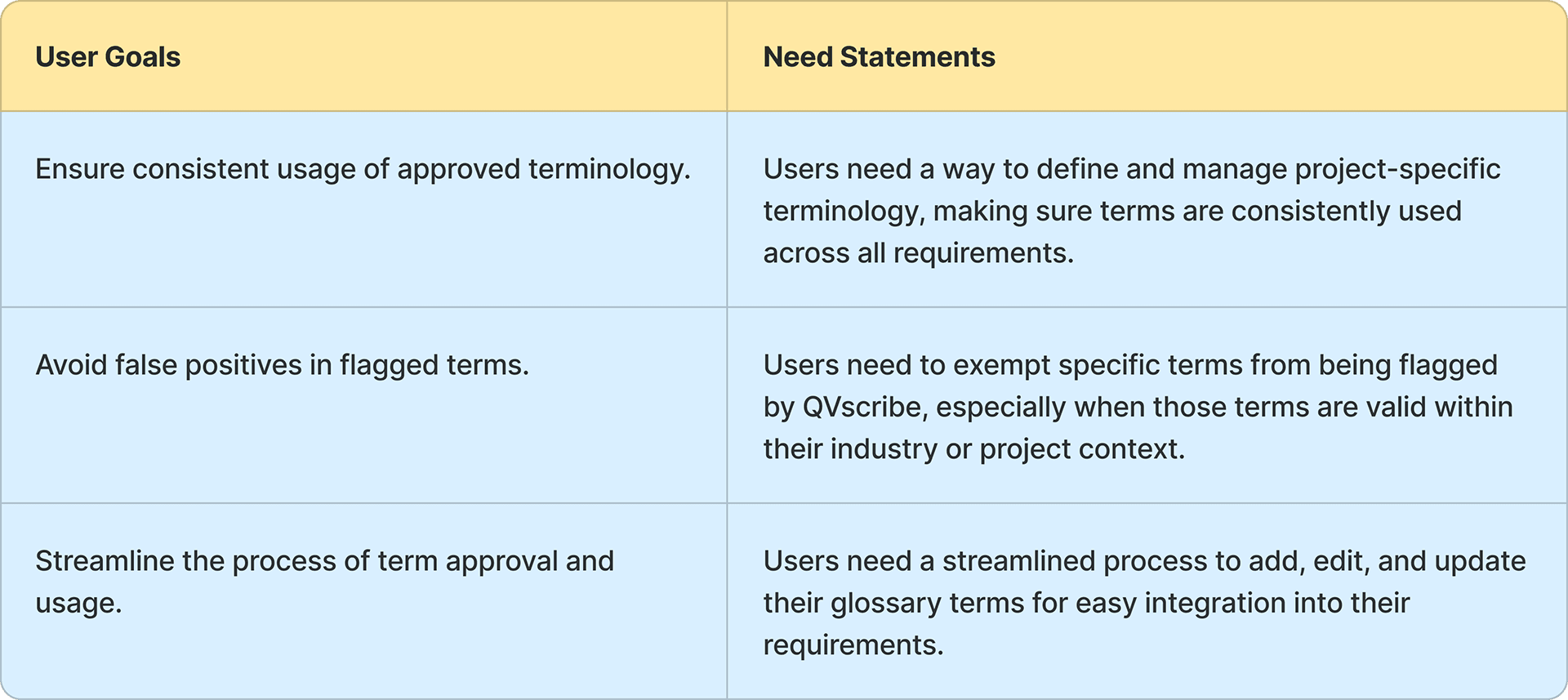
6- User Goals and Need Statements
Strategy & Design Process
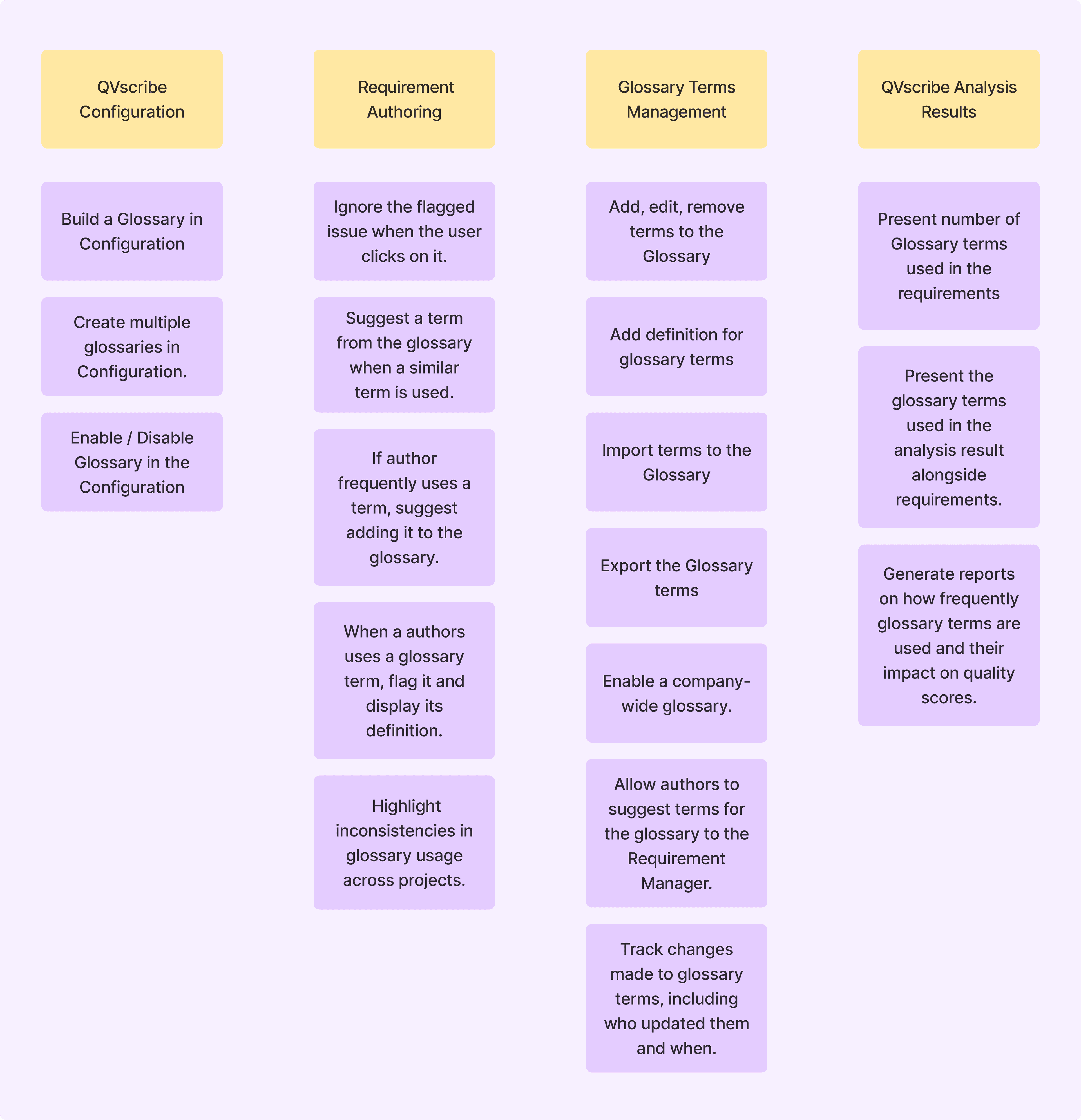
1- Solution Exploration
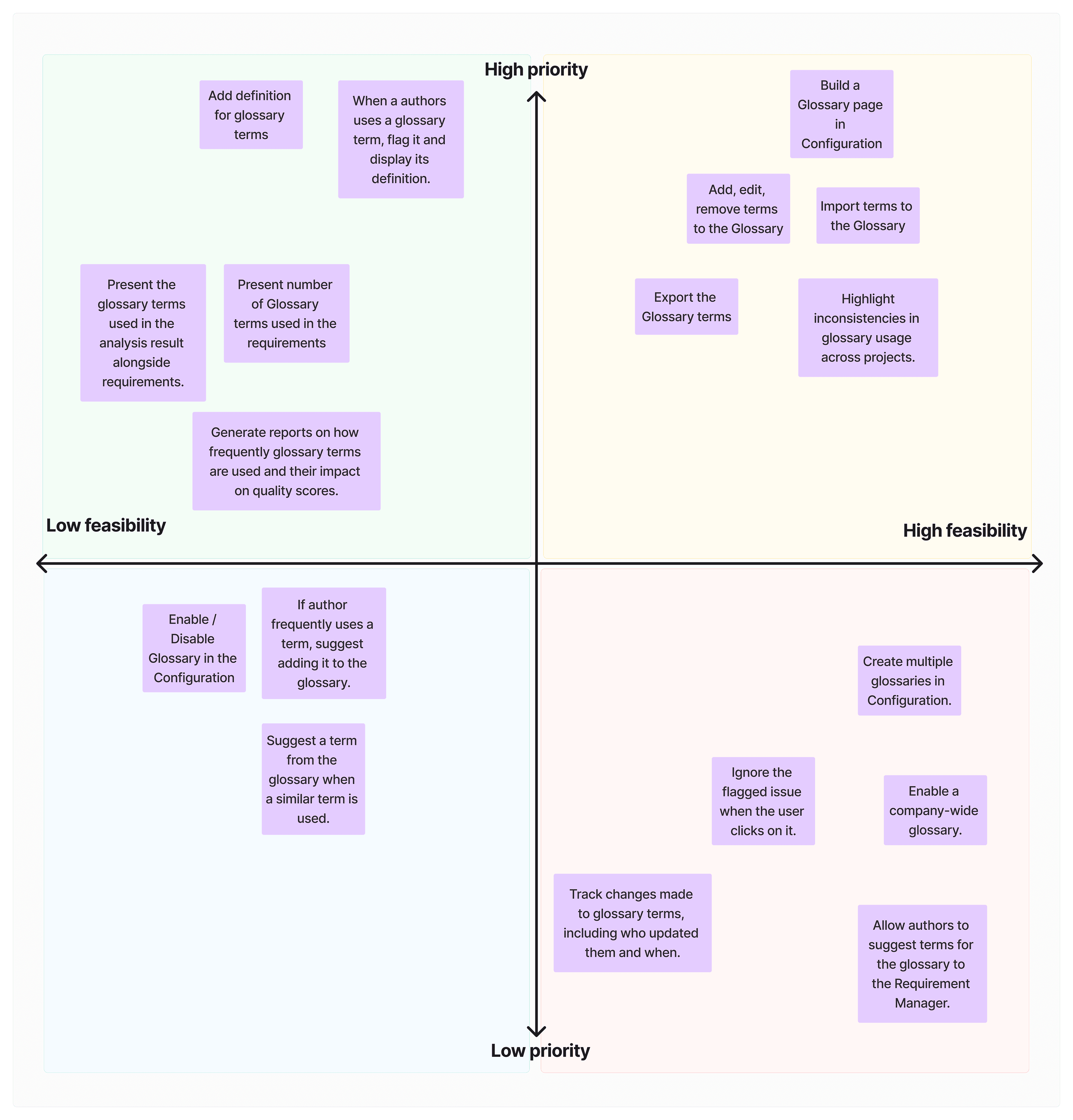
2- Prioritization Matrix
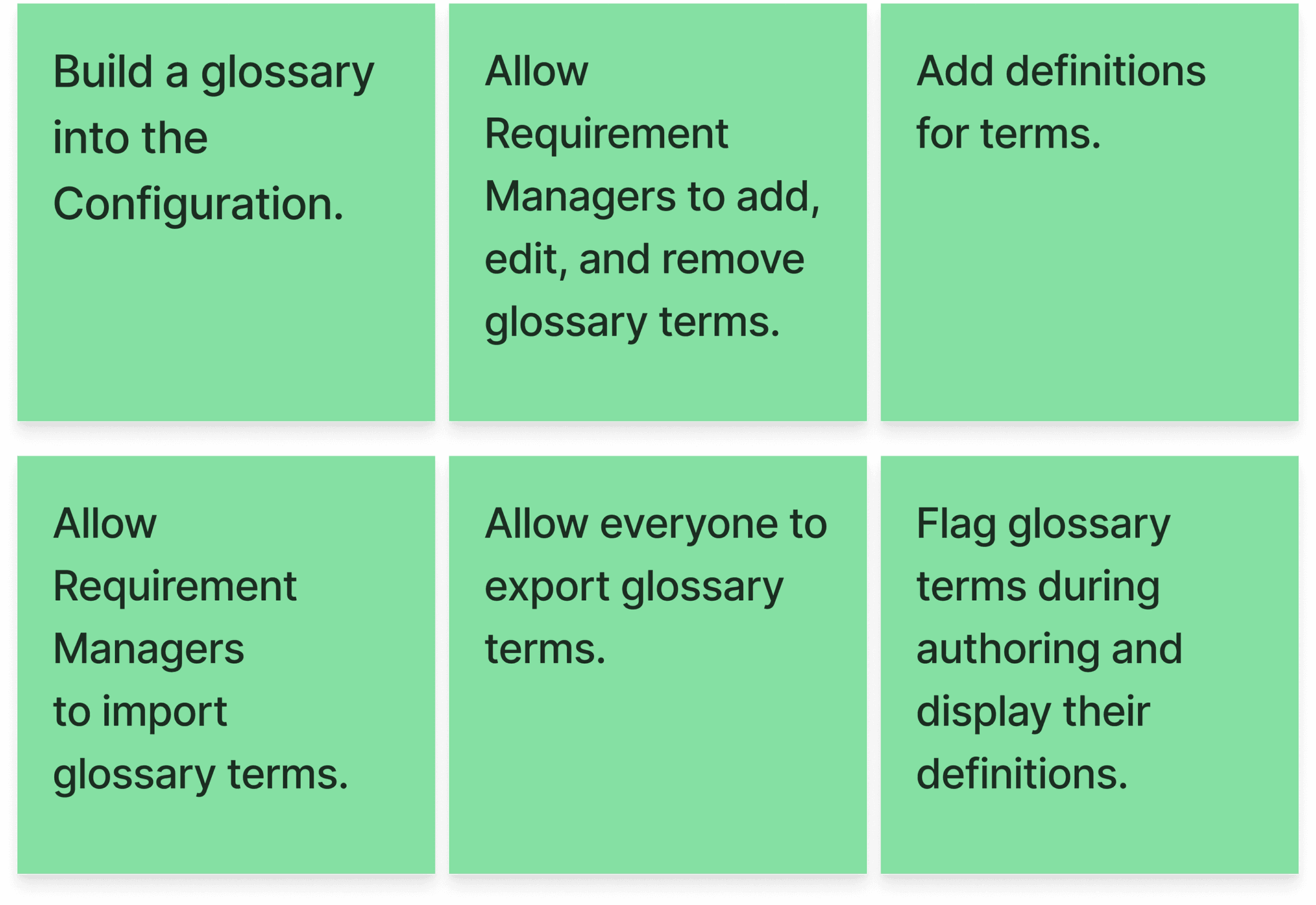
3- Selected Ideas
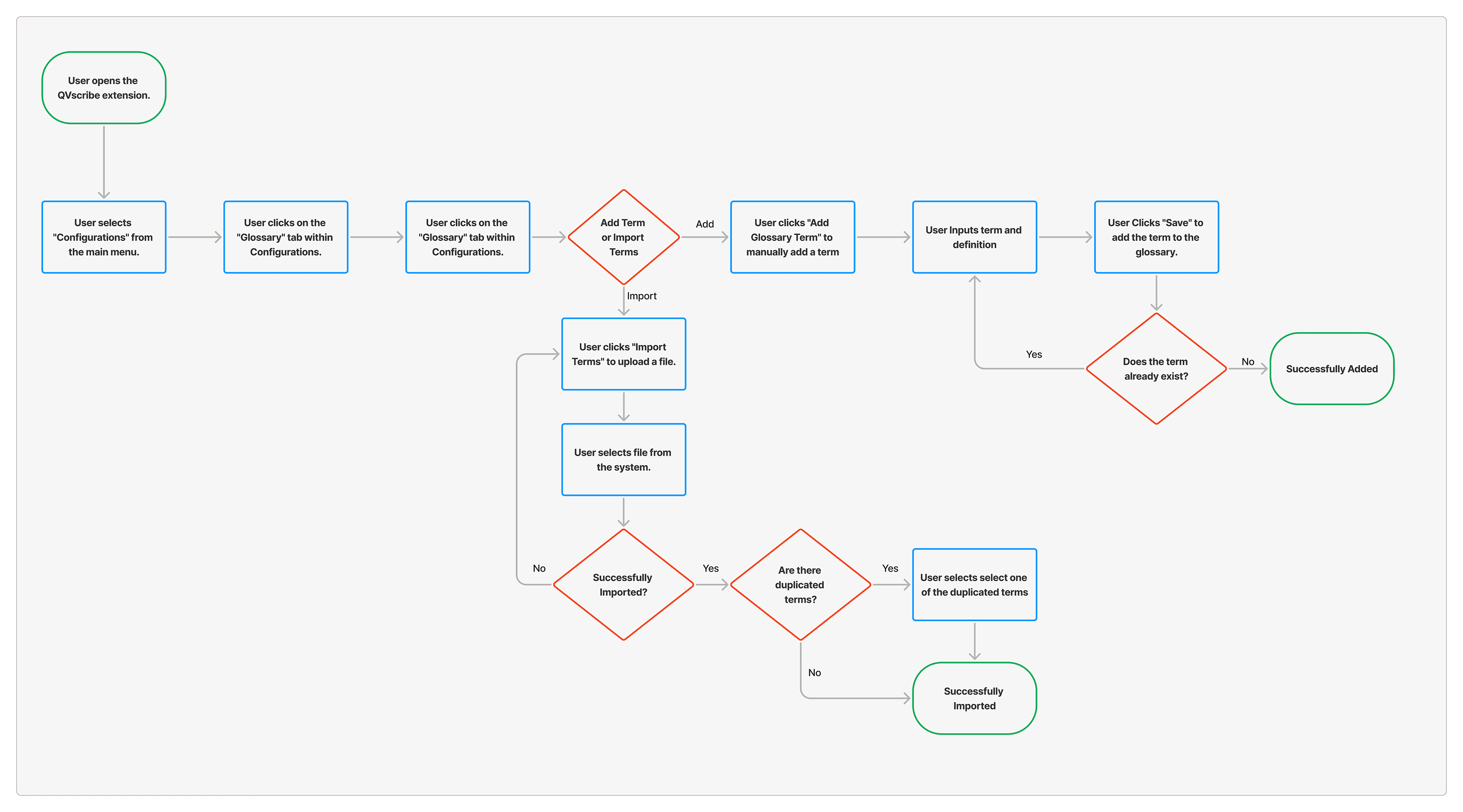
4- User Flow
5- Low-Fidelity Wireframing & Prototyping
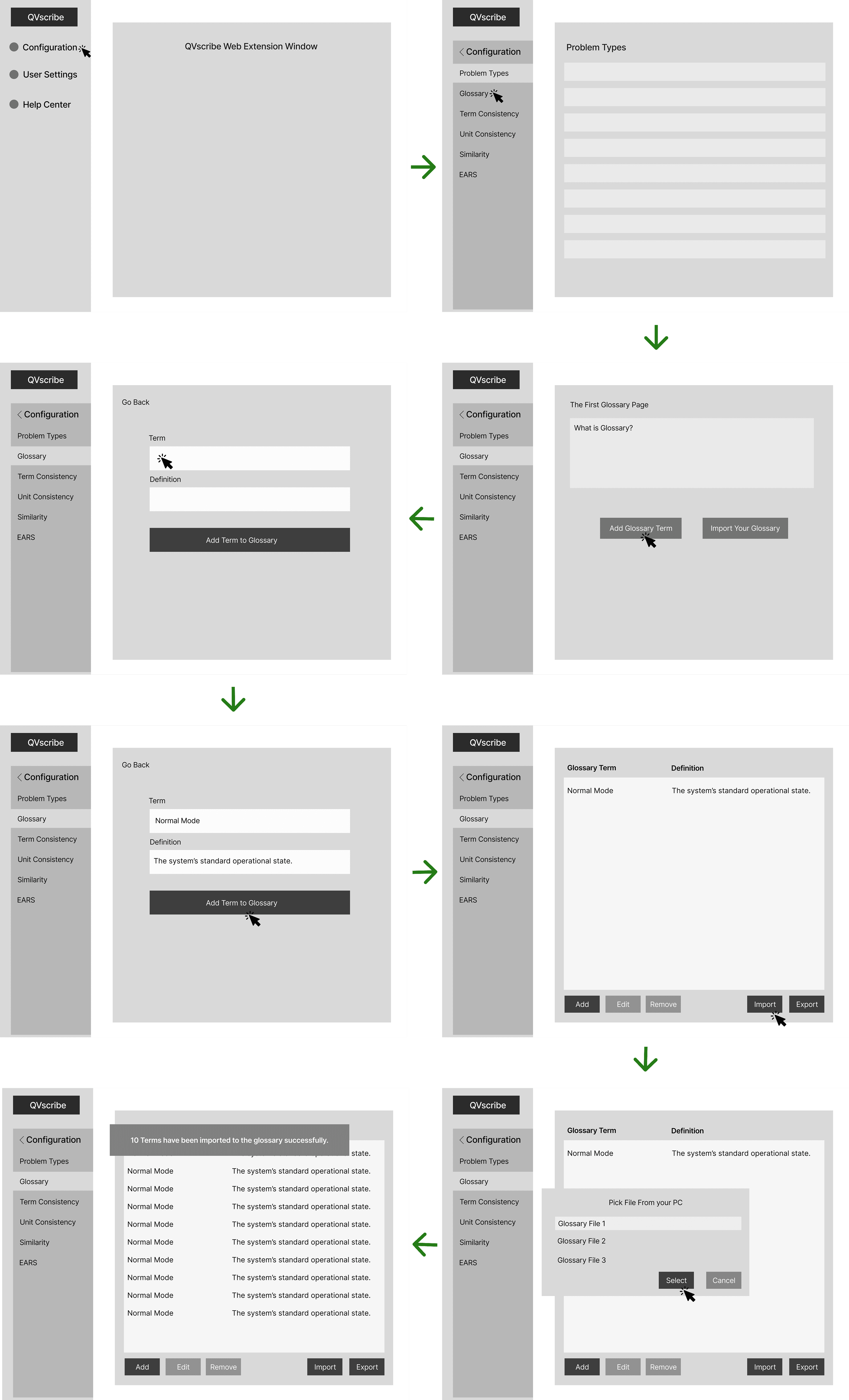
QVscribe Configuration
QVscribe Extension > Configuration > Open Glossary > Add a Term > Import Glossary
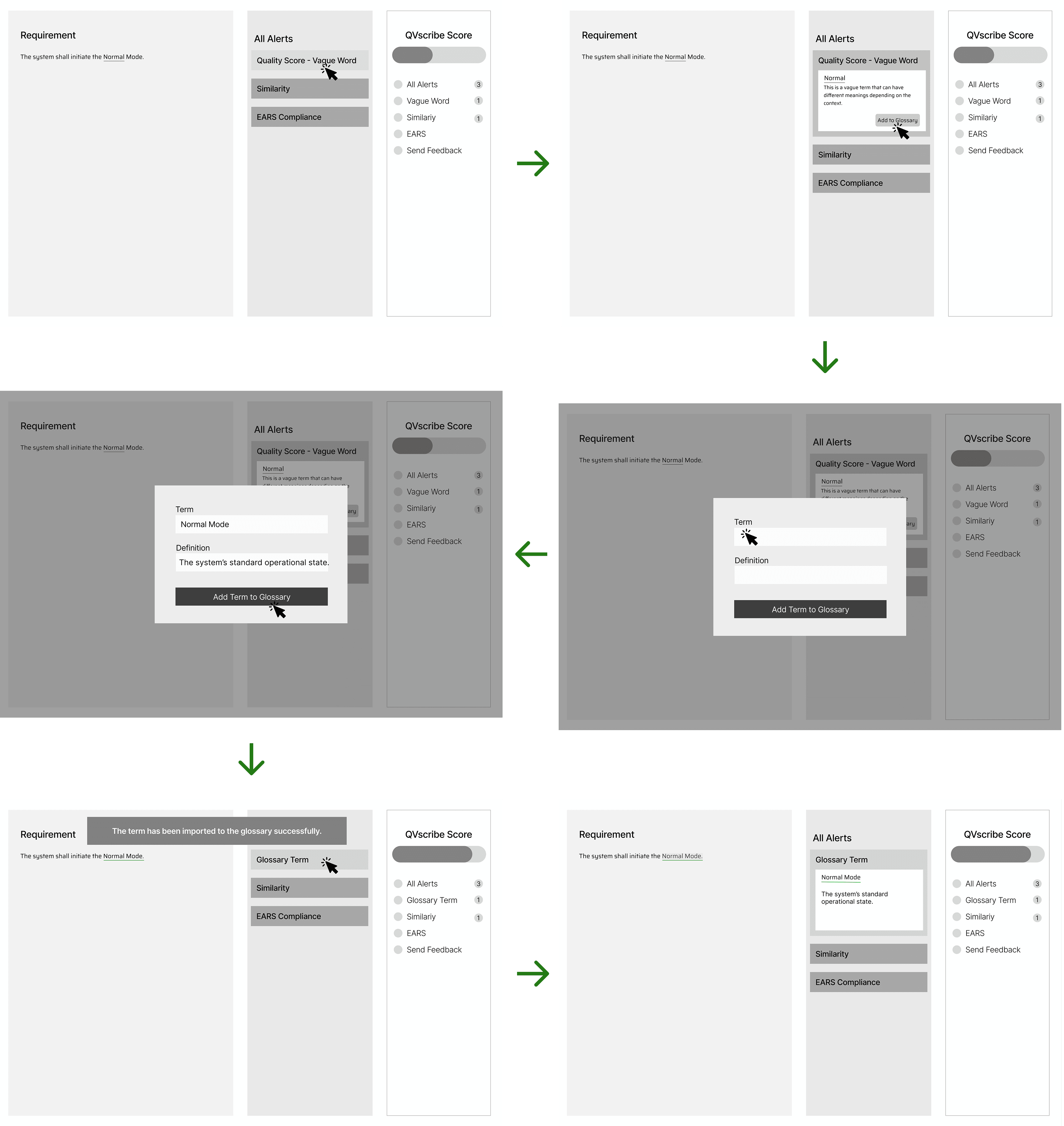
QVscribe Authoring
6- User Testing
Objective: Validate the usability of the glossary feature and identify areas for improvement.
Participants: 5 users (3 Requirement Managers and 2 Requirement Authors).
Tasks: Add terms, import/export glossary, and flag terms during authoring.
Methodology: Remote usability testing.
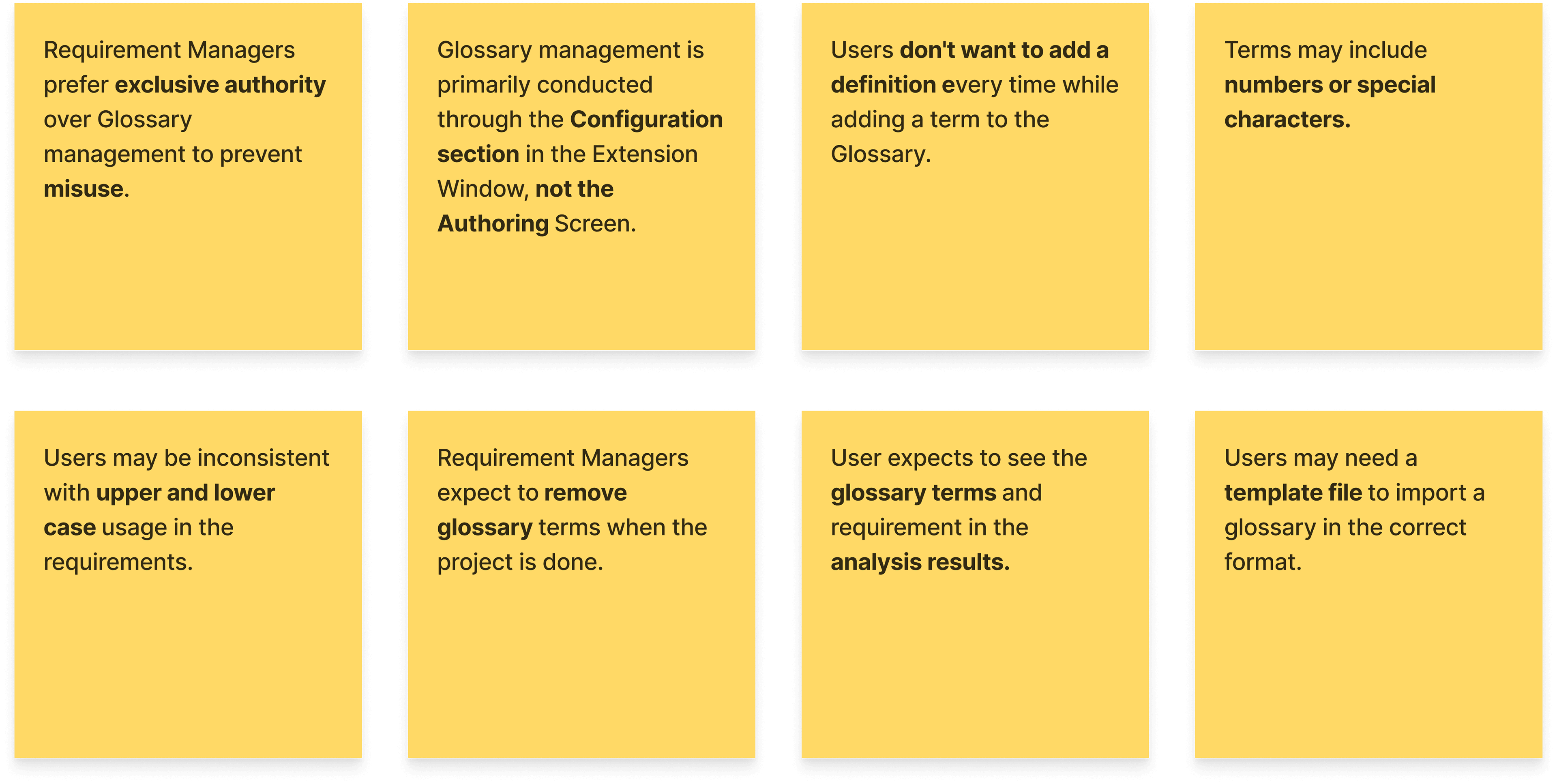
Key Findings:
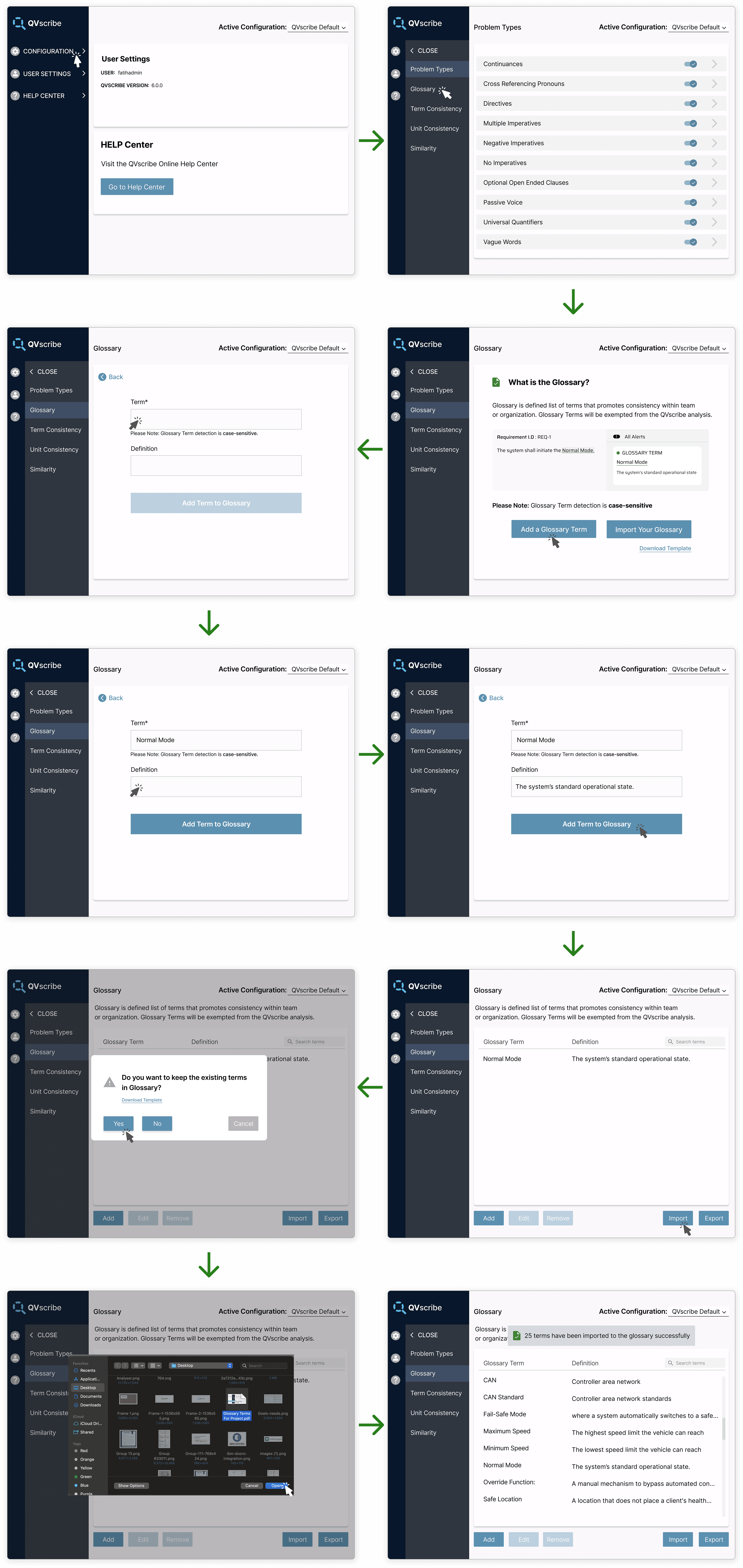
Final Solution


Results, Impact & Learnings
Metrics and Impact
- 40-60% of customers utilized the Glossary feature within the first 6 months.
- 50-60% of Requirement Managers used the Glossary feature regularly.
- 85% of users who interacted with the Glossary found it helpful in their workflow.
- 70% of potential customers engaged with the Glossary feature during the QVscribe free trial period.
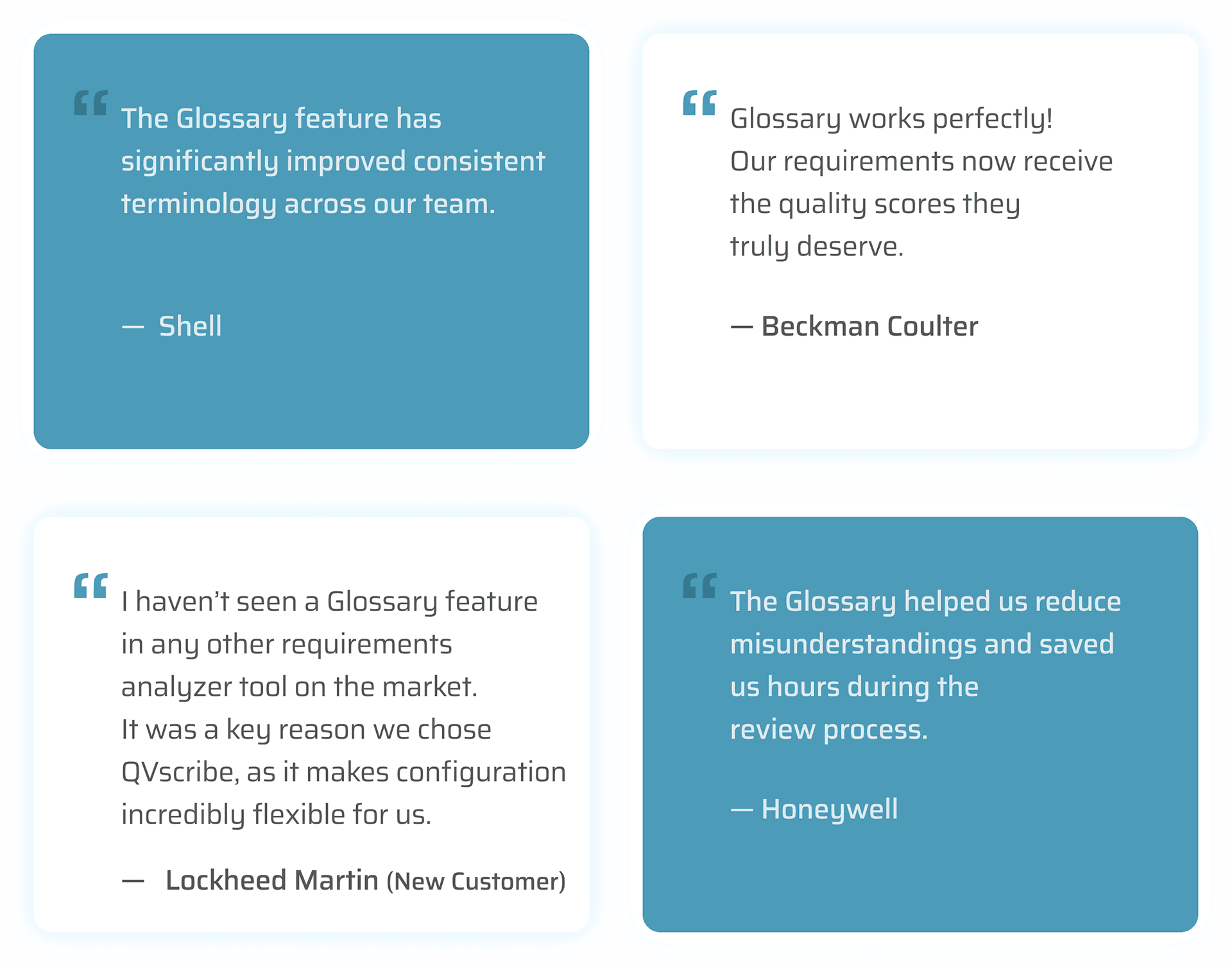
Customer Quotes on Glossary
Reflections
Complex Edge Cases in Glossary Detection
Managing edge cases in glossary term detection was a significant challenge. For example, when a glossary term conflicted or partially overlapped with a forbidden phrase or imperative, it became essential to understand the user’s intention to flag it correctly. This required enhancements to QVscribe's semantic analysis capabilities.
The Importance of Validating Assumptions
Assumptions made during ideation should always be validated with users early in the process. Doing so ensures that the final solution aligns closely with user needs and expectations.
Collaborative Discovery Process
This project highlighted the importance of cross-functional collaboration. By engaging with the Customer Support and Sales teams, I gained valuable insights into user behavior and expectations that informed the final solution.
Next Steps
Gather User Feedback for Glossary 2.0
Collect feedback from users to validate what aspects of the Glossary feature work well and identify areas for improvement. Seek insights on potential new functionalities that could add value to the feature.
Enhance Communication Between Roles
Analyze user data to better understand how to improve collaboration and communication between Requirement Authors and Requirement Managers, ensuring seamless usage of glossary terms across teams.
Explore Automated Recommendation Functionality
Investigate the feasibility of developing an automated recommendation feature to suggest glossary terms based on user behavior and requirements, making the Glossary more proactive and useful for users.